Looking for something specific? This page explains how to manage your Izuke account — including how to delete it, how to block or report another runner, and how to get help if you can't access the app.
How do I delete my account?
You can delete your Izuke account at any time. Deletion is permanent and immediate.
- Open the Izuke app and tap the Profile tab.
- Tap Settings at the top right.
- Scroll to the very bottom and tap Delete Account.
- Read the warning, then type
DELETEin the confirmation field. - Tap Delete my account.
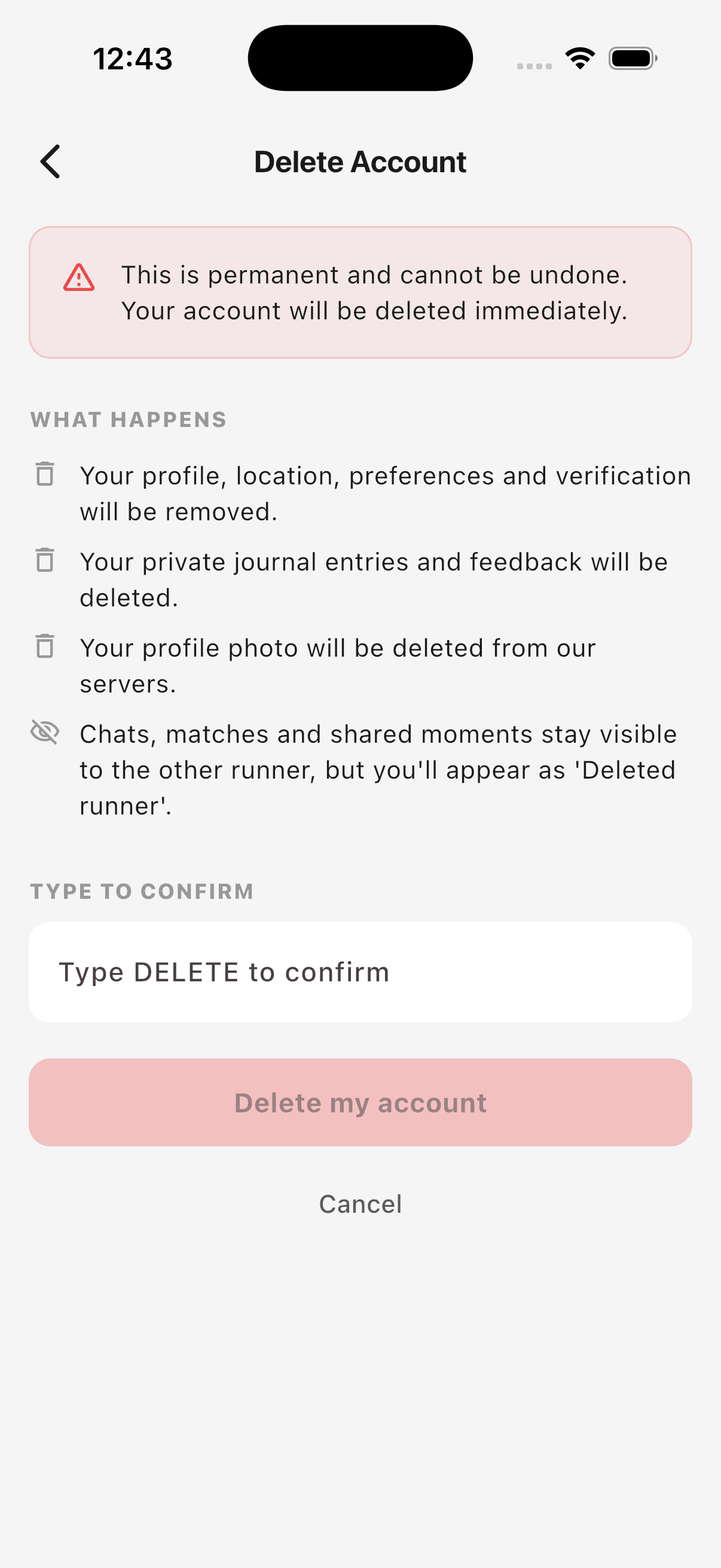
You'll be signed out automatically and we'll send a confirmation email to the address registered to your account.
What happens to my data when I delete?
We split your data into two categories: data that's yours alone, which we delete forever, and data that involves another runner, which we keep but anonymize so the other person isn't left with a broken chat history.
| Deleted forever | Anonymized (kept) |
|---|---|
| Your name, bio, photo, location, run preferences, verification status | Chats with other runners — they keep the conversation history, but you appear as Deleted runner |
| Your private journal entries (solo runs you logged) | Match records (run requests) — preserved on the other runner's side |
| Feedback you submitted to us | Shared moments (cards from runs you completed together) — kept in the other runner's journal |
| Notifications addressed to you | |
| Planned runs you organized | |
| Your authentication record (you can't log back in) |
Anonymization means we strip your name, photo and any other personally identifying information from records that were shared with another runner — only the run details (distance, pace, date) remain, attached to a placeholder "Deleted runner" identity.
What if I can't access the app?
If you've lost your phone or can't log in, you can request deletion by email.
- Send an email to izuke.app@gmail.com from the email address registered to your account.
- Use the subject line Delete my Izuke account.
- We'll verify the request comes from your registered email and complete the deletion within 7 days.
For your safety, we cannot honor deletion requests sent from a different email address than the one on your account. If you've lost access to that email too, please contact us and explain — we may be able to verify your identity another way.
How do I block or report a runner?
You can block or report any runner you encounter on Izuke from three places: their card in Discover, their full profile page, or your chat with them.
Where to find the menu
- On a Discover card: tap the ··· button at the top right of the card.
- On a runner's profile detail screen: tap the ··· button at the top right.
- In a chat thread: tap the ··· button in the top right of the conversation.
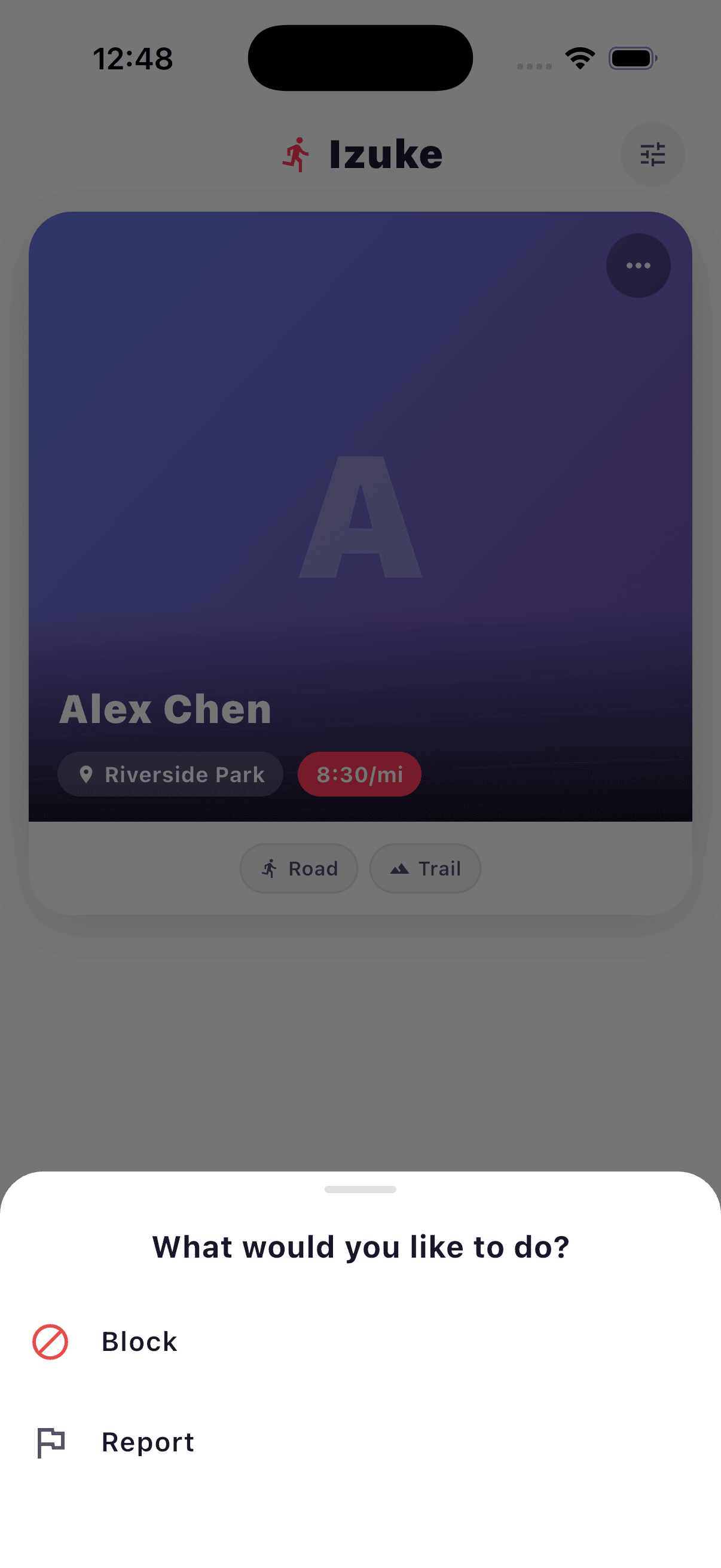
Block
Blocking hides the runner from your Discover deck and your Matches list. They also won't see you in theirs, and they won't be able to message you. Blocking is reversible — you can unblock at any time.
Report
Reporting flags the runner to our team for review. Pick a category, optionally add details, and submit. Reporting also blocks the runner automatically — you don't need to do both.
Categories you can choose from:
- Harassment or hate speech
- Fake or misleading profile
- Inappropriate behavior
- Safety concern
- Spam or scam
- Other
We review every report. We may follow up with you for clarification, and we take action — including suspending or removing accounts — when reports are substantiated.
How do I unblock someone?
- Open the Izuke app and tap the Profile tab.
- Tap Settings.
- Scroll to the Safety group and tap Blocked Users.
- Find the runner you want to unblock and tap Unblock.
- Confirm in the dialog.
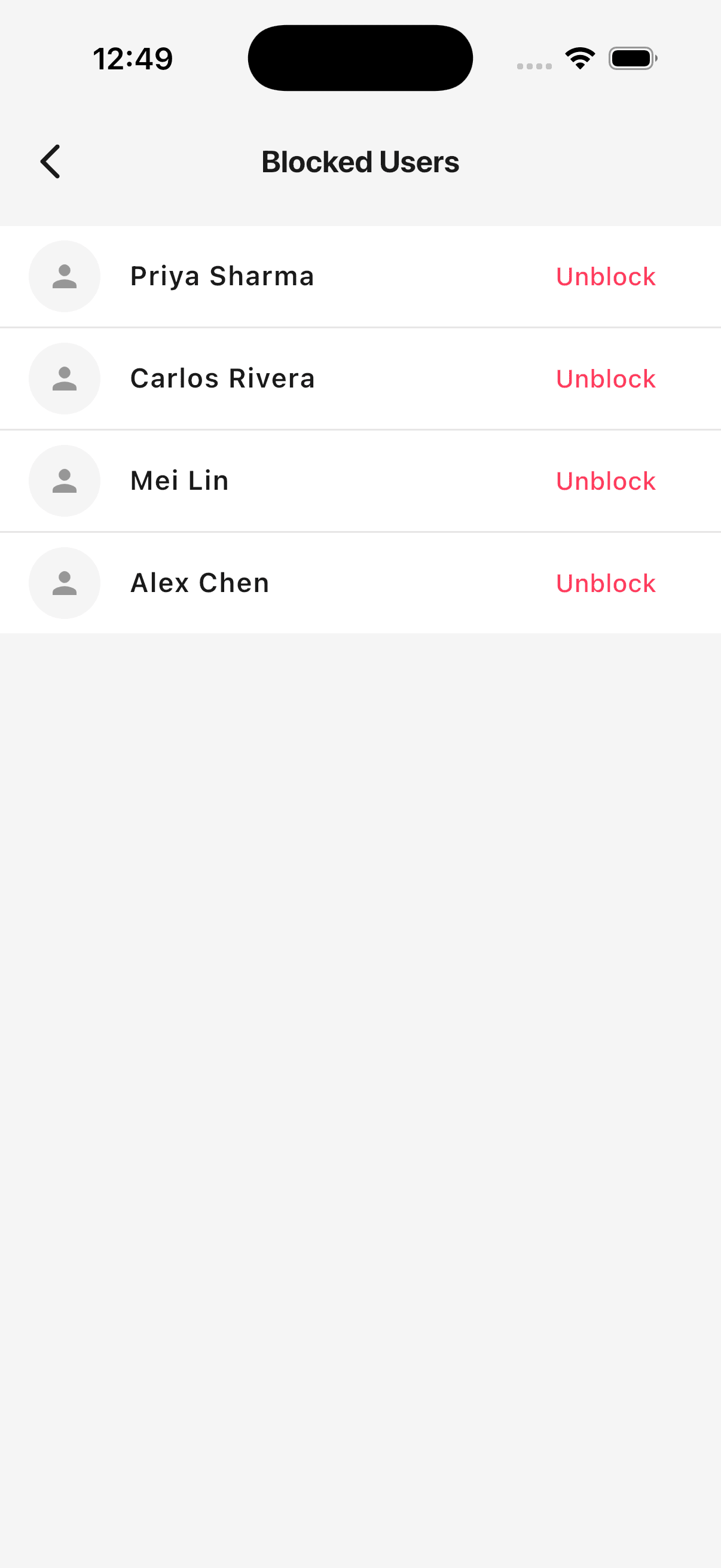
Once unblocked, the runner can appear in your Discover deck again, and you can both message each other if you re-match.
Need help with something else?
We read every message.
- From inside the app: Profile → Settings → Send feedback. Pick a category, write your message, and we'll respond within a few days.
- By email: izuke.app@gmail.com.