
Help & FAQ
Answers to the questions people ask most: getting started, finding someone to run with, staying safe, Moments, Izuke Pro, and managing or deleting your account.
01Getting started
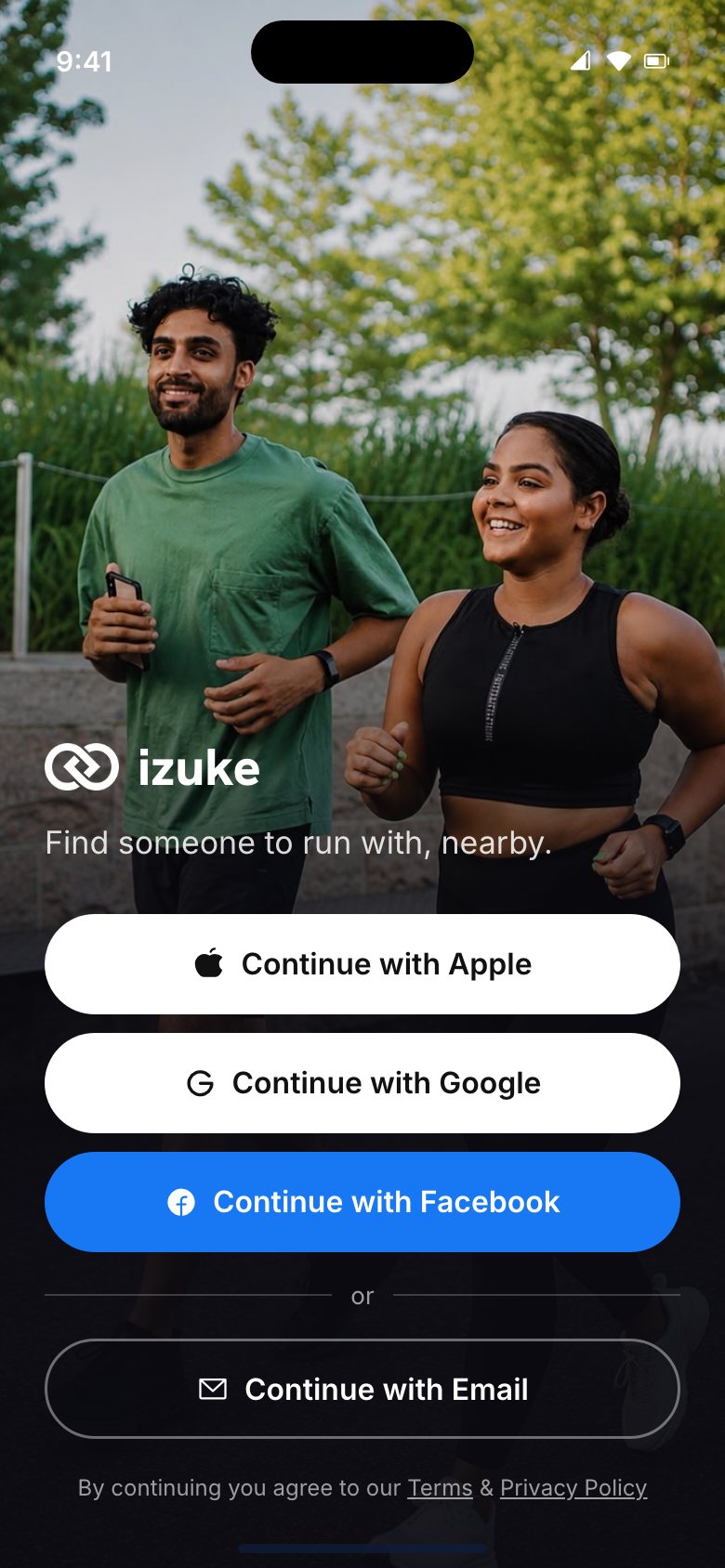
Who will I meet on Izuke?
Real people nearby who want to run. Anyone can take a quick selfie check to get a Verified badge, and you can choose to see only verified runners. If something feels off, you can report or block anyone at any time.
Can I choose to run only with women?
Yes. Turn on women-only mode and only runners who identify as women can see you or send you a request. You'll find it in Profile → Settings → Safety.
I'm new to running. Is Izuke for me?
Yes. Izuke matches you by pace and goals, not just distance, so you can find people at your level, whether it's your first 5K or your next marathon.
Is it only for running?
No. Izuke started with running, but you can also start or join other activities nearby, like tennis, padel, basketball, yoga or a hike.
Where is Izuke available?
Izuke is currently offered in Vietnam. We open city by city; if you're somewhere else, join the waitlist and we'll email you when we launch near you.
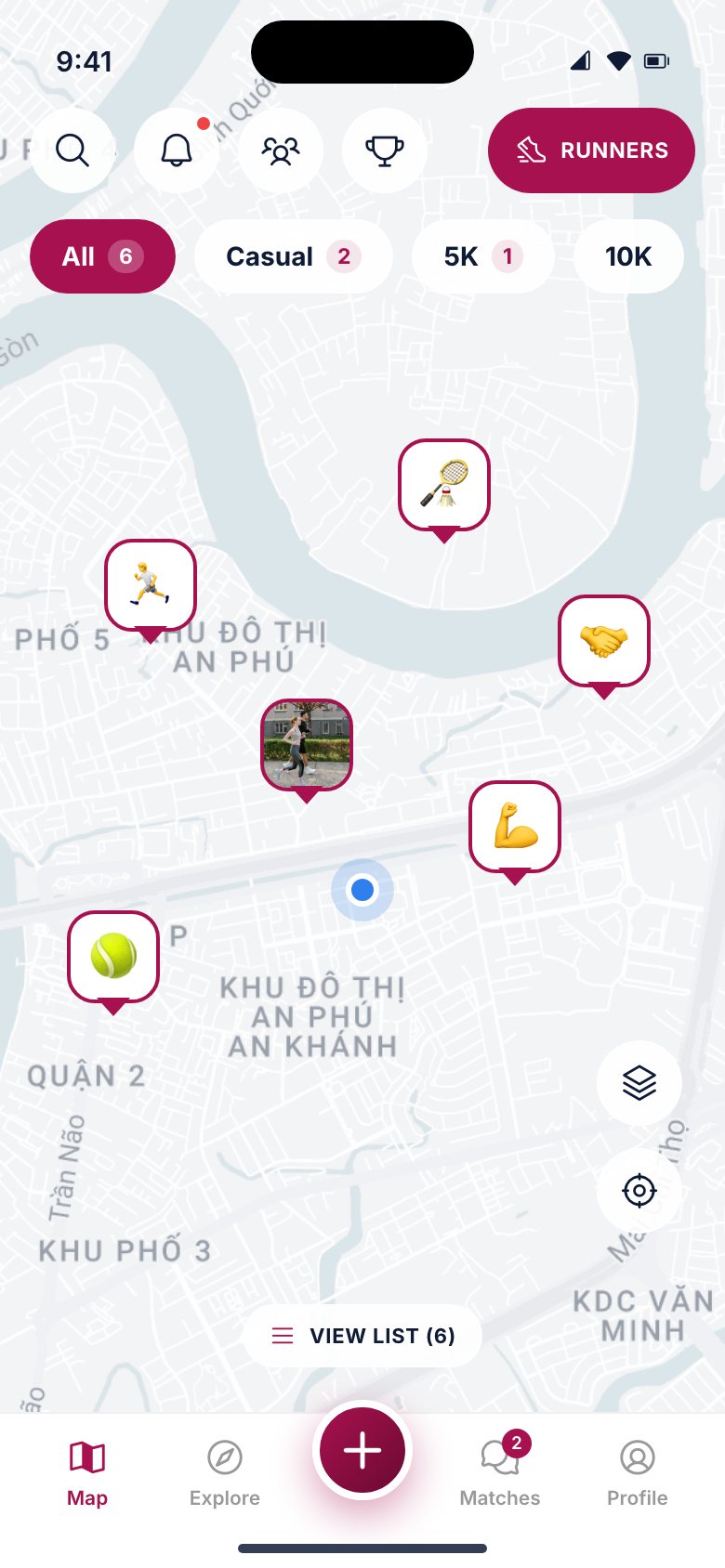
How is the app laid out?
Five tabs along the bottom:
- Map — runners and activities around you.
- Explore — activities coming up near you that you can join.
- + — post a run or an activity of your own.
- Matches — the people you've connected with, and your chats.
- Profile — your profile, your runs and Moments, and Settings (the gear at the top right).
02Your account and verification
How do I sign up?
Download Izuke from the App Store or Google Play and sign in with Apple, Google, Facebook or your email. You'll then set up your profile — a photo, your pace and your goals — and can finish with a quick selfie check.
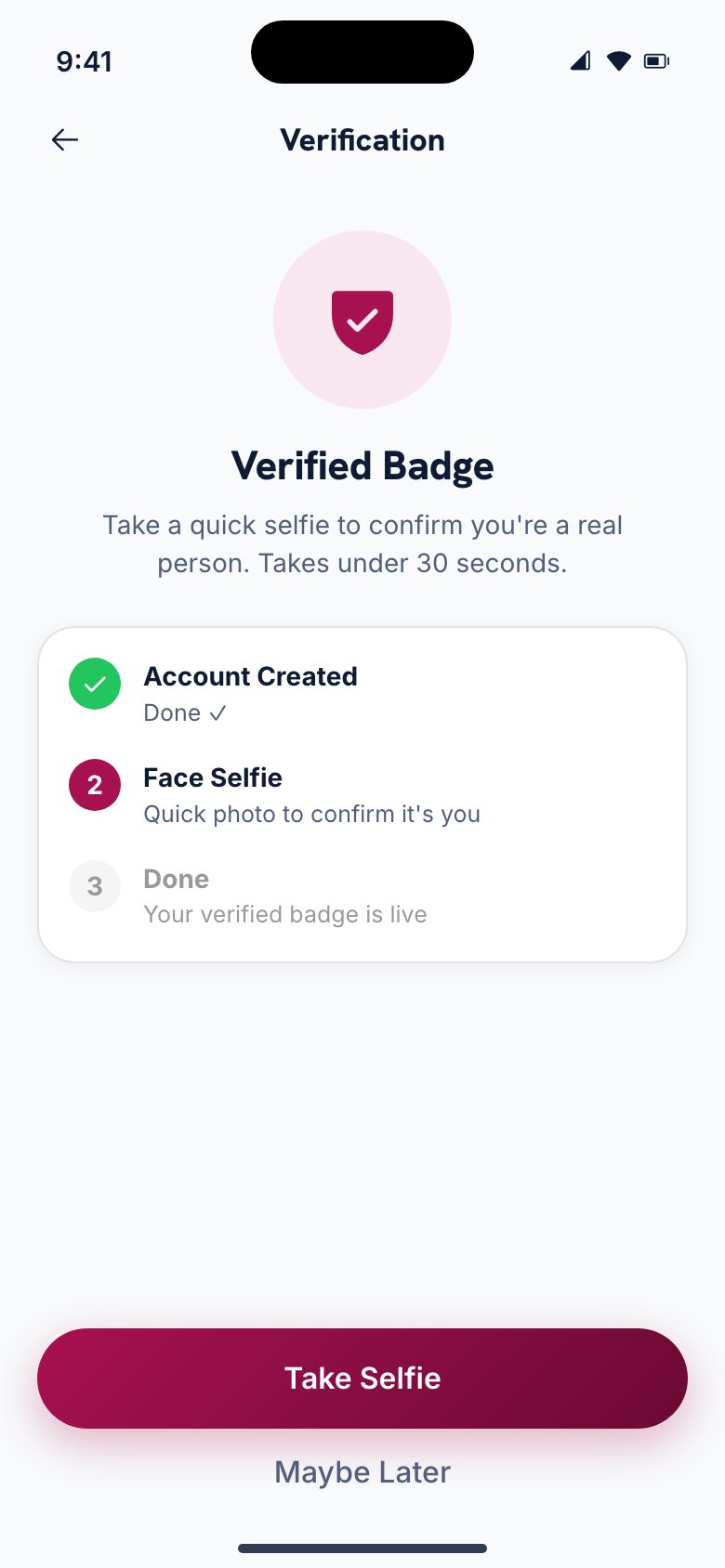
Why take a selfie?
So everyone you meet is a real person. The selfie check confirms there's a live person in front of the camera; it takes under 30 seconds and gives you a Verified badge. It's optional: you can skip it and verify later from Settings, but some hosts only accept verified runners.
The selfie is used only for the check. Our Privacy Policy explains exactly what happens to it.
My selfie check failed. What now?
Try again somewhere with good, even light, with your whole face in the frame and nothing covering it (sunglasses, a cap pulled low or a mask). If it keeps failing, write to contact@izuke.app and we'll help.
How do I change my name, photo or details?
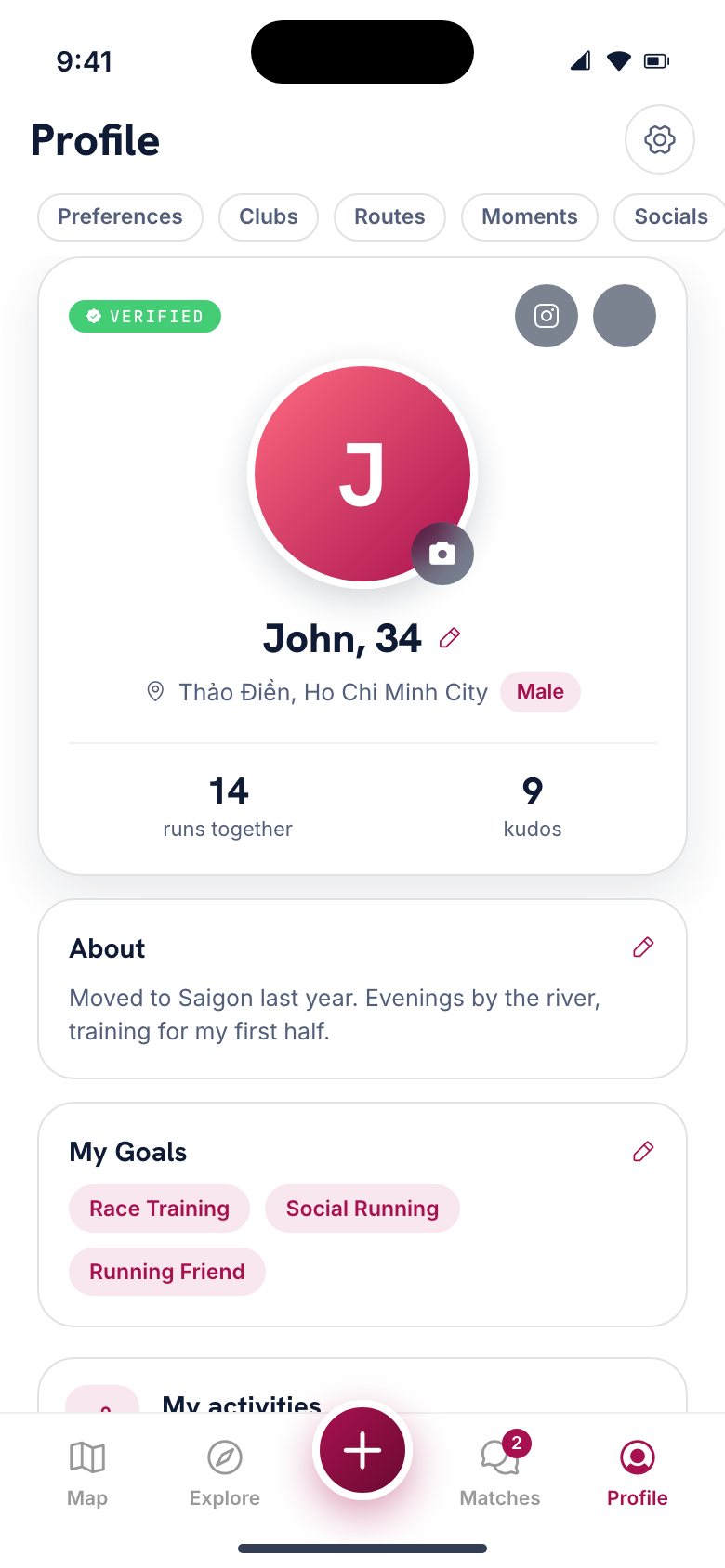
Open Profile. Tap the pencil next to your name for your personal details, the camera on your photo to change it, and the pencil on any card below to edit it. Sign-in and email details are in Settings → Account → Account Info.
03Finding people and activities
How do I find someone to run with?
On the Map, tap Runners to see people near you. Tap someone to see their profile — their pace, goals and when they like to run — and send a run request. When they accept, you're matched and can chat to plan a run.
How do I join an activity?
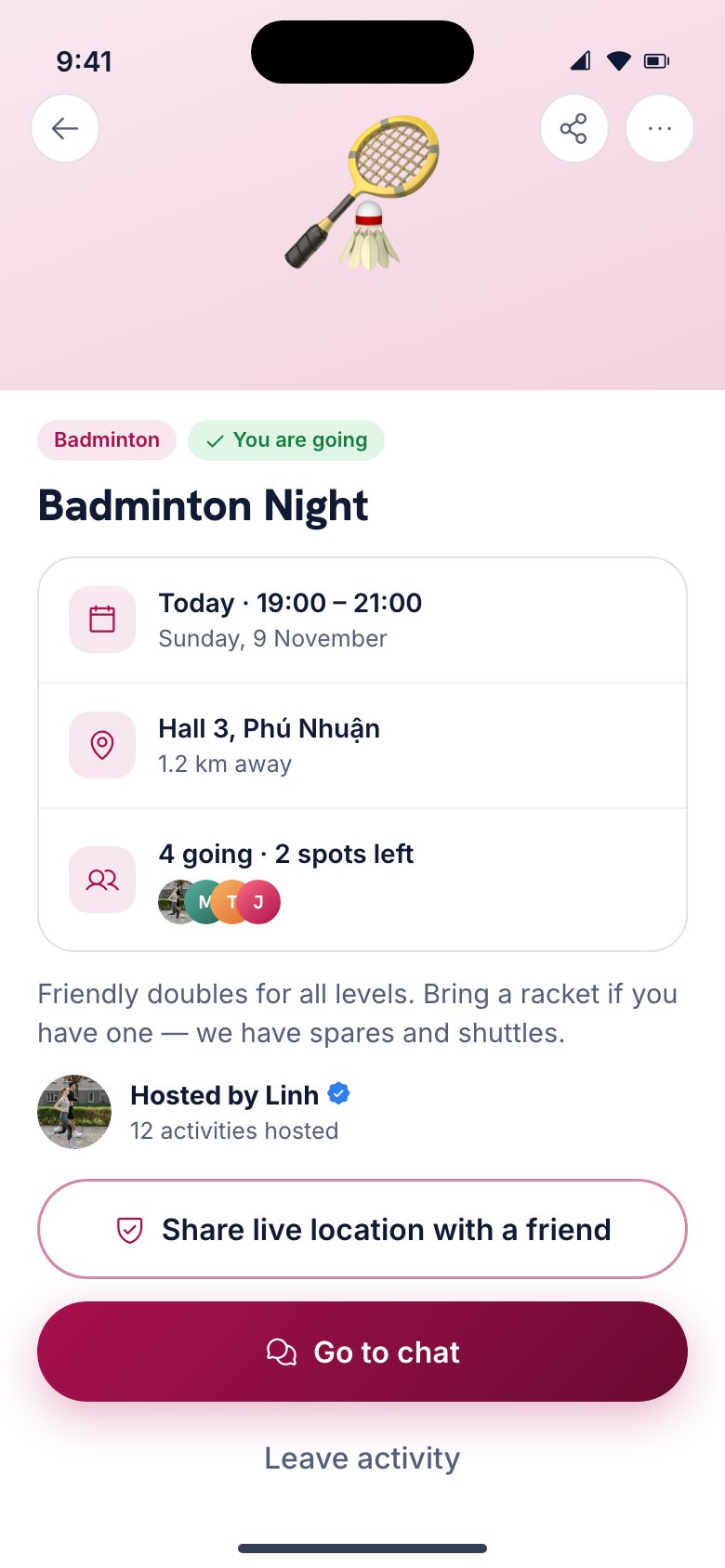
Open Explore for what's coming up near you, or tap a pin on the map. Open an activity and tap Join. You'll be added to its group chat, where you can say hello and sort out the details.
How do I start my own run or activity?
Tap + in the middle of the tab bar, choose Post an Activity, and pick the kind, the time and the place. It appears on the map for people nearby, who can join until it starts.
Why can't I send more run requests today?
The free plan includes 5 run requests every 24 hours; the app shows when the next one becomes available. Accepting someone's open run never counts. Izuke Pro removes the limit.
Can I stop showing up for a while?
With Izuke Pro, yes: Settings → Discovery & privacy → Pause Discovery hides you from the map and from nearby runners until you turn it off, while you keep using Izuke normally. Your matches and chats stay as they are.
04Staying safe
Meeting someone new should feel safe. Before a meetup, you can share your live location with someone you trust — and if something goes wrong during it, SOS is one press away.
How does sharing my live location work?
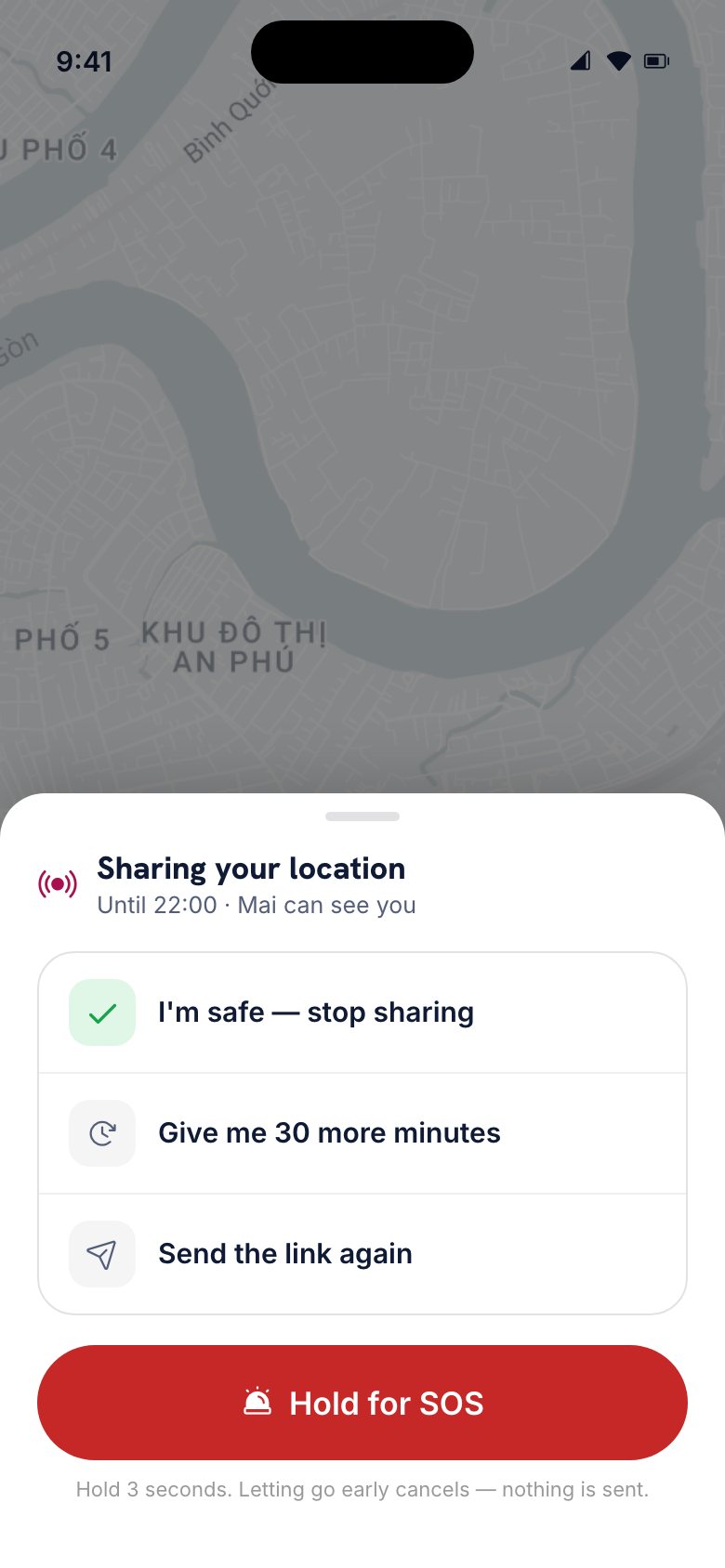
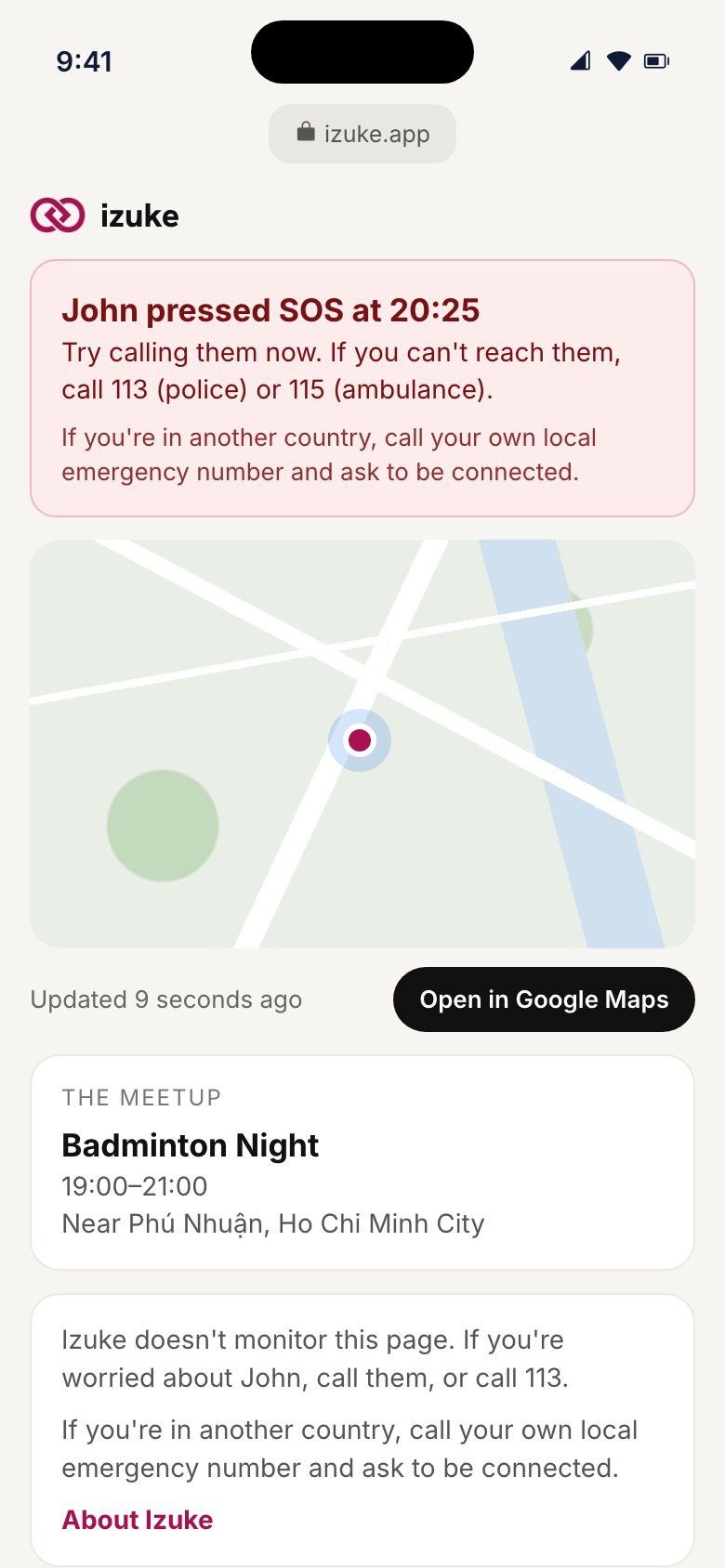
Open the run or activity and tap Share live location with a friend, within two hours before it starts. Send the link to someone you trust — by text, WhatsApp, Zalo or any other app. They can follow your location on a web page, with no app needed, until an hour after the meetup ends or until you say you're safe.
The person you're meeting isn't told. Izuke doesn't monitor your safety — the person you share with does, so make sure they know to call you if something looks wrong.
What does SOS do?
While you're sharing, tap the banner at the bottom of the app and hold SOS for 3 seconds. You get 5 seconds to cancel; then:
- the page your friend is watching turns red and shows SOS with your live location,
- your emergency contacts are texted your live link, and
- you get a button to call the local emergency number.
What happens if I don't check in after a meetup?
When the meetup is due to end, Izuke asks "All good?". Tap I'm safe to stop sharing, or ask for 30 more minutes. If you don't answer within about 10 minutes, the page your friend sees shows that you haven't checked in, and your emergency contacts are texted.
How do I add emergency contacts?
Profile → Settings → Safety. Add the people who should hear from Izuke if you press SOS or miss a check-in.
Any other safety tips?
- Meet somewhere public for your first run with someone new.
- Set up your phone's own Emergency SOS too: on iPhone, Settings → Emergency SOS; on Android, Settings → Safety & emergency → Emergency SOS. It works even when Izuke isn't open.
- Trust your instincts. You can leave, block or report anyone, at any time.
05Blocking and reporting
How do I block or report someone?
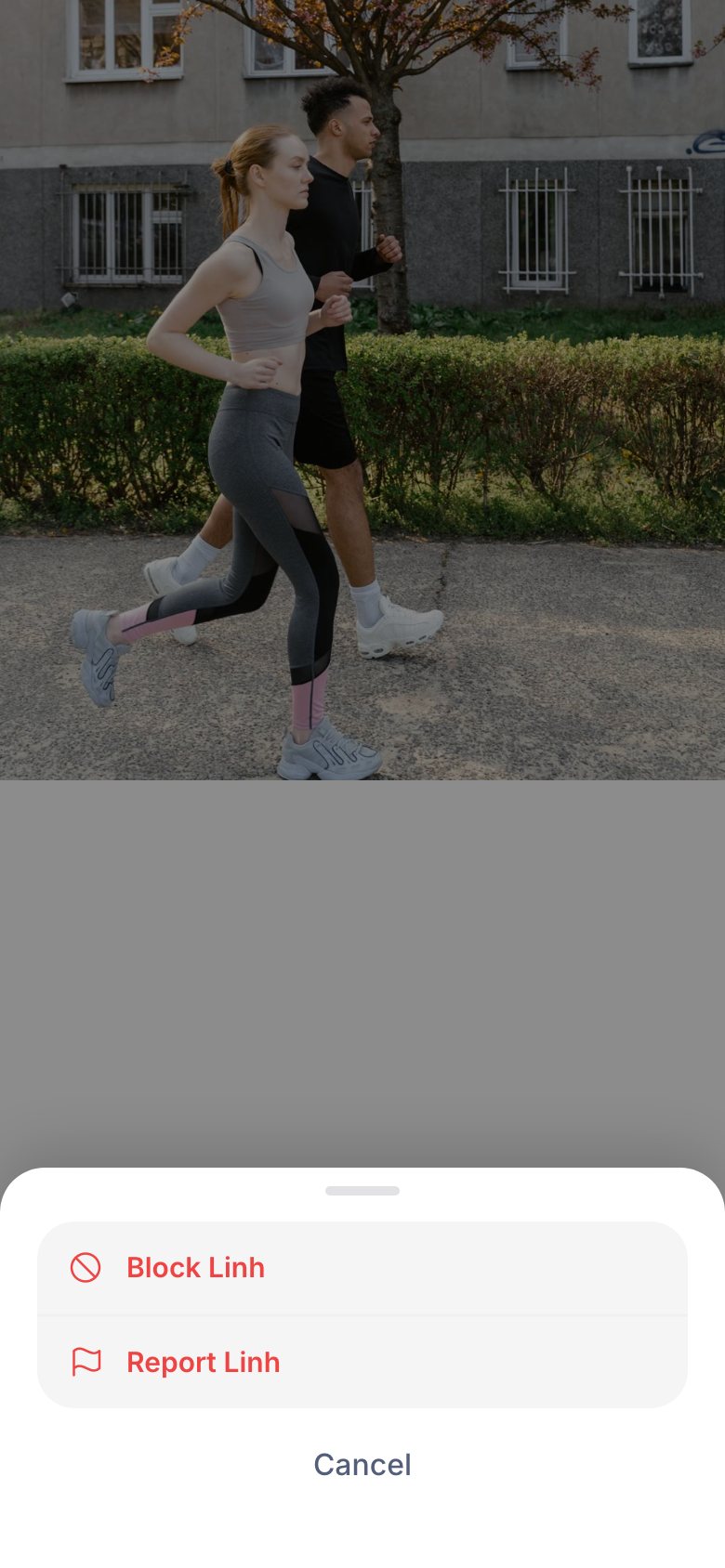
Open their profile, or your chat with them, and tap ··· at the top right. Choose Block or Report.
Block hides them from you and you from them, and they can't message you. It's reversible.
Report sends the profile to our team for review and blocks them automatically, so you don't need to do both. Pick what's wrong — harassment or hate speech, a fake or misleading profile, inappropriate behaviour, a safety concern, spam or a scam, or something else — and add details if you like.
We review every report and take action, up to removing accounts, when a report is substantiated.
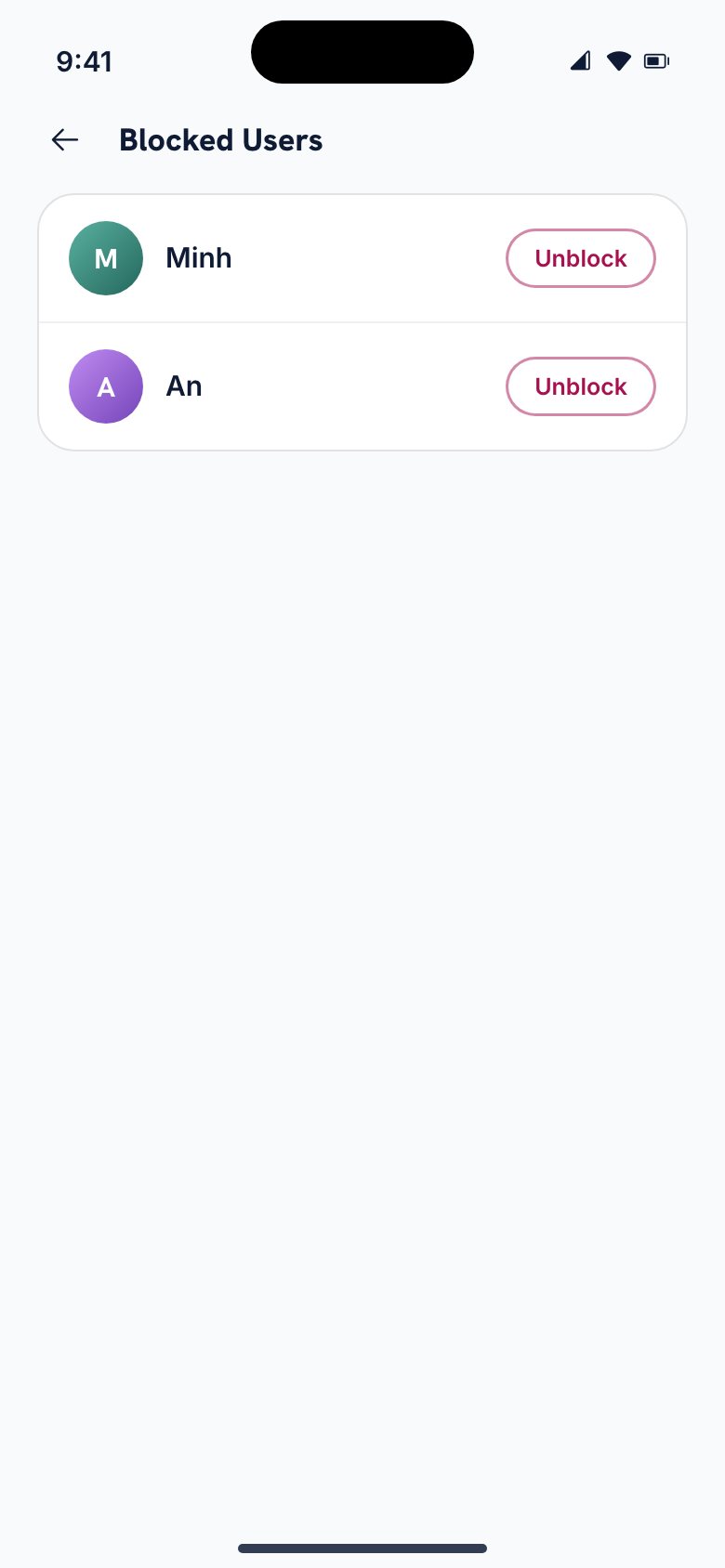
How do I unblock someone?
Profile → Settings → About → Blocked Users, then tap Unblock next to their name and confirm. They can then appear for you again, and you can message each other if you match again.
06Moments
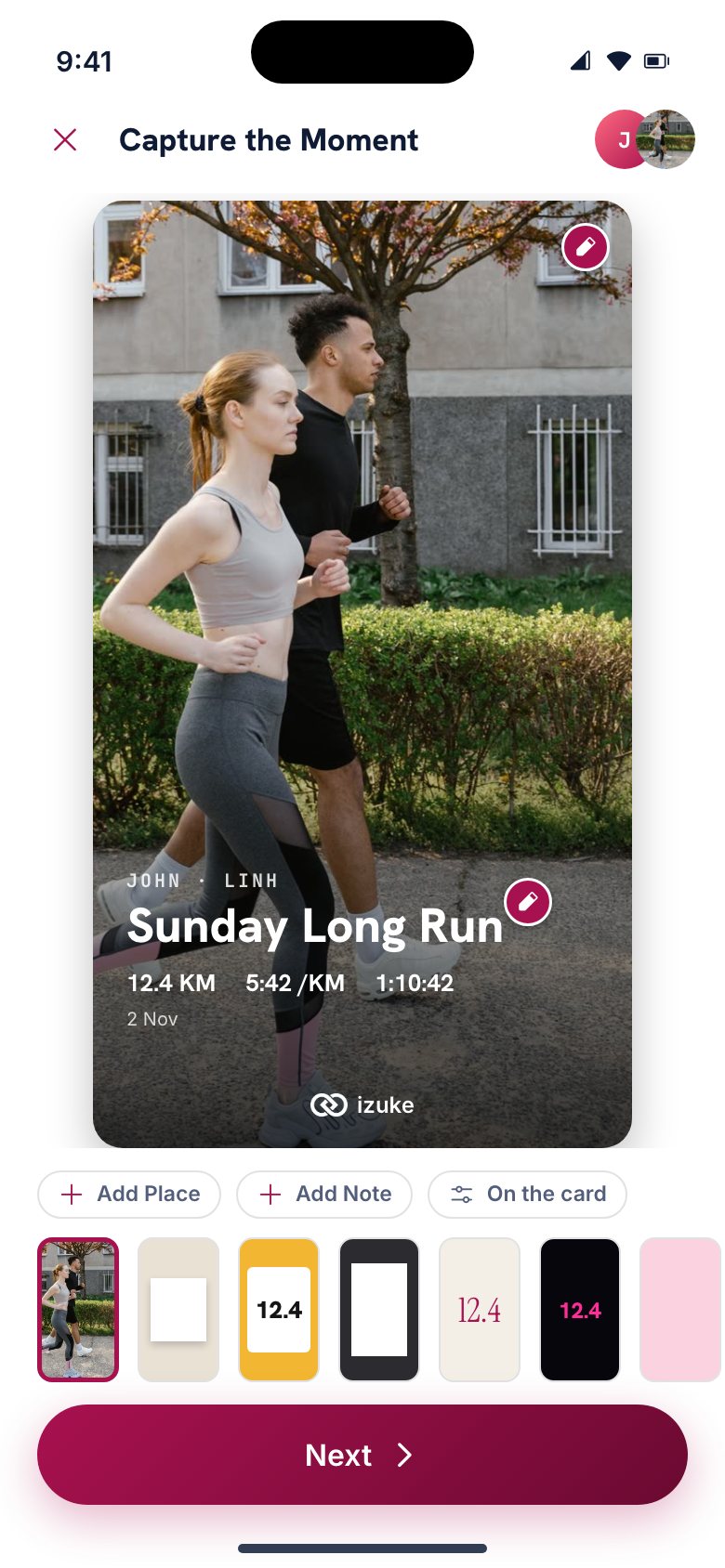
What is a Moment?
A card that remembers a run or activity you did with others — your photo, the title, who was there and, for a run, the distance, pace and time. You can keep it on your profile and share it to Instagram, Facebook, WhatsApp or anywhere else.
How do I make one?
After a run or activity, open its chat and tap Create Moment. Choose a design from the strip under the card (or swipe the card), then tap any ✎ to change the photo, title, place or note. On the card lets you hide anything you don't want to show, like the date or the place.
Some designs have more than one photo frame — each can have its own picture.
Story or post?
When you share or save, choose Story (9:16) for Instagram, Facebook or WhatsApp Status, or Post (4:5) for feed posts and chats.
Who can see my Moments?
A Moment from a run starts public on your profile; one from an activity starts private. You can change either in Profile → My Moments.
07Izuke Pro
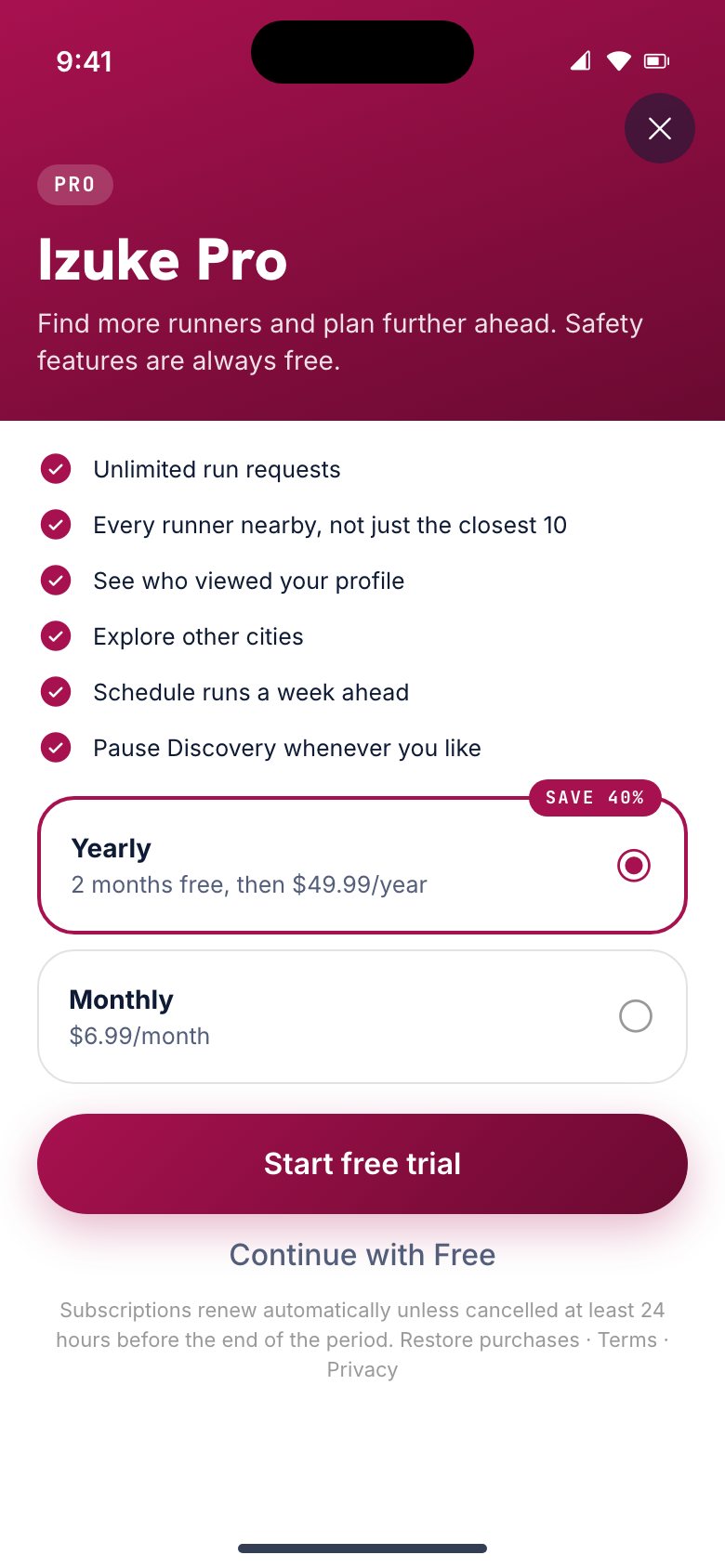
What do I get with Pro?
- Unlimited run requests
- Every runner nearby, not just the closest 10
- See who viewed your profile
- Explore other cities — runners, routes, clubs and events wherever you're headed
- Schedule runs a week ahead
- Pause Discovery whenever you like
How much does it cost?
Pro is available monthly or yearly. The app shows the price in your currency, and any free trial, before you subscribe. Payment goes through the App Store or Google Play.
How do I cancel?
Subscriptions are managed by Apple or Google. Go to Profile → Settings → Plan → Manage subscription, or straight to your App Store or Google Play subscriptions. Cancel at least 24 hours before the renewal date; you keep Pro until the end of the period you've paid for.
Can I get a refund?
Refunds are handled by Apple or Google under their own policies. On iPhone, request one at reportaproblem.apple.com; on Android, from your Google Play order history.
08Location and privacy
Who can see where I am?
Other people see an approximate area, not your exact position, and the distance between you. Your exact live location is only ever shared when you choose to — through Safe Meetup, with the people you send the link to.
Why does Izuke need my location?
To show you runners and activities nearby, and to show you to people near you. It updates when you open the app after you've moved somewhere new, so you see the right city. You can change what others see in Settings → Discovery & privacy.
Where can I read the details?
Our Privacy Policy explains what we collect, why, who sees it and what control you have. The Terms of Service cover the rules for using Izuke.
09Deleting your account
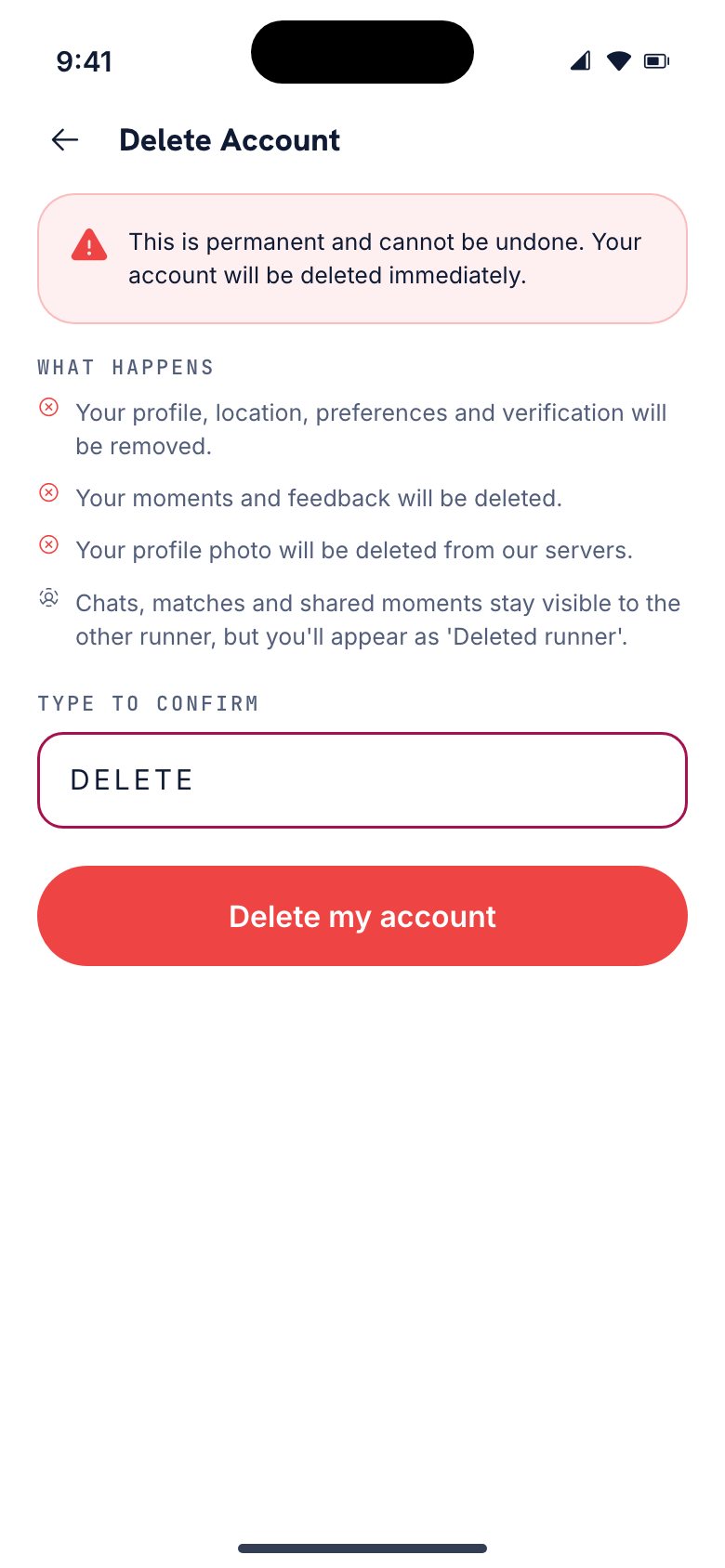
How do I delete my account?
- Open Profile and tap the gear at the top right for Settings.
- Scroll to the bottom and tap Delete Account.
- Read the warning, type DELETE, and tap Delete my account.
Deletion is permanent and immediate. You'll be signed out and get a confirmation email. If you have Izuke Pro, cancel it in the App Store or Google Play too — deleting your account doesn't stop the store from billing you.
What happens to my data?
What's yours alone is deleted forever; what you shared with someone else stays for them, without your name or photo.
| Deleted forever | Kept, but anonymised |
|---|---|
| Your profile, photo, location, preferences and verification | Chats — the other person keeps the history; you appear as "Deleted runner" |
| Your Moments and the feedback you sent us | Matches, kept on the other runner's side |
| Notifications and your sign-in | Moments others made of runs you did together |
I can't get into the app. Can I still delete my account?
Yes. Email contact@izuke.app from the address on your account, with the subject Delete my Izuke account. We'll check the request comes from that address and delete the account within 7 days. If you've lost access to that email too, tell us and we'll find another way to confirm it's you.
10Still need help?
We read every message.
- In the app: Profile → Settings → Support → Report an issue. Pick a category, write what happened, and we'll get back to you within a few days.
- By email: contact@izuke.app.
- On Instagram: @izuke.app.